


ServiceNow + Elisity: CMDB-Driven Asset Context for Identity-Based Microsegmentation
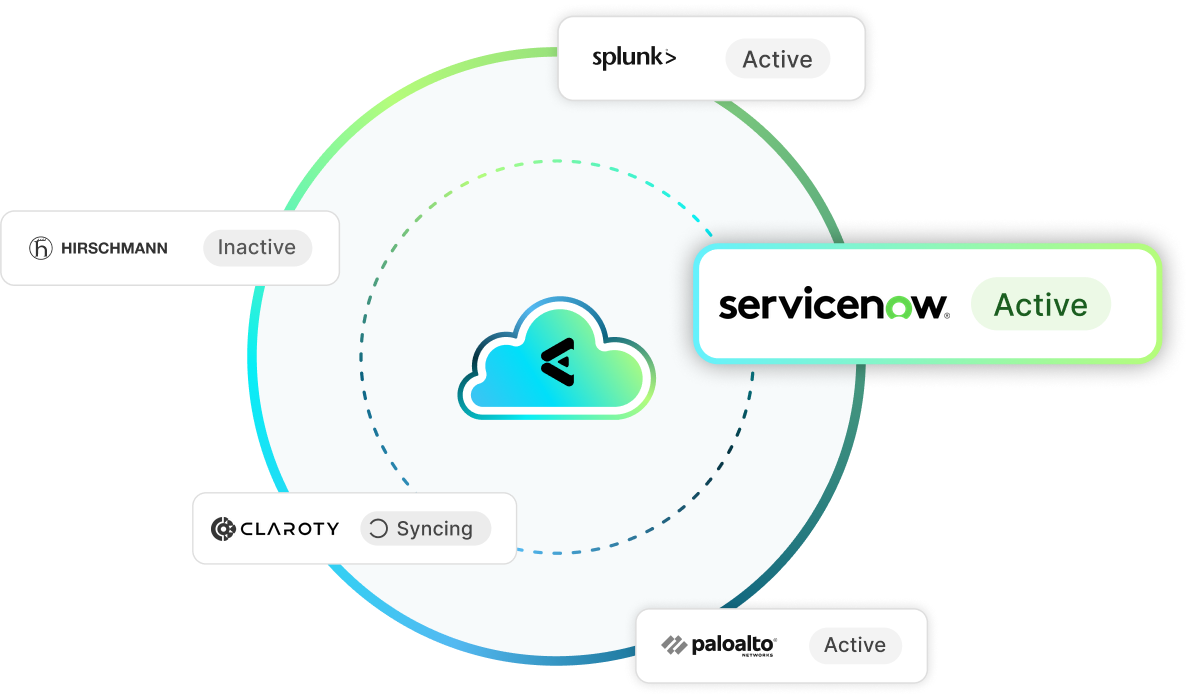
ServiceNow is your system of record for every asset. Elisity pulls that CMDB context (ownership, department, support group, operational status) into the Elisity IdentityGraph™ and enforces identity-based microsegmentation through the network infrastructure you already own. Devices with no matching CMDB record are flagged automatically, so managed assets and rogue devices never get the same access.
Support Documentation
Connect ServiceNow CMDB
Step-by-step guide to connecting your ServiceNow instance to Elisity IdentityGraph for CMDB-driven microsegmentation.
ServiceNow Classification Details
Review the CMDB attributes, device matching logic, and trust fields Elisity ingests from ServiceNow for policy creation.
Challenge
Incomplete Asset Visibility Across Enterprise Networks
Your organization has spent years turning the ServiceNow CMDB into the single system of record for IT assets. Every configuration item carries the context security teams actually need: assigned owner, business organization, department, support group, manufacturer, model, operational status, and location. Almost none of it reaches the network. Policy decisions still get made from IP addresses and VLAN membership, which say nothing about whether a workstation belongs to Radiology or Contracts, whether a server is in production or was retired in March and left powered on, or which support group to page when a change breaks something. The gap runs both directions. CMDB records go stale as devices appear that were never registered, and network policy stays generic because the operational context lives in a service management platform the enforcement layer cannot read. Security teams end up rebuilding a shadow inventory in spreadsheets, then discover it disagrees with the CMDB the moment an auditor asks which record is authoritative. Explore how identity-based microsegmentation turns that context into enforcement.
Elisity Solution
ServiceNow CMDB Attributes Enrich the Elisity IdentityGraph
The ServiceNow integration pulls CMDB configuration items directly into the Elisity IdentityGraph, so every device on your network carries its system-of-record context into policy. Elisity ingests asset ownership, business organization, department, support group, manufacturer, model, operational status, CMDB class name, location, and tech organization, then attaches those attributes to the matching device identity. You configure it in the Elisity Cloud Control Center by entering your ServiceNow instance URL and API credentials, and the sync runs on the schedule you set. From that point, a clinical workstation is not just 10.24.8.51. It is an endpoint owned by Clinical Engineering, supported by the Biomed group, with an operational status of In Use and a CMDB class of cmdb_ci_computer. The attributes your ITSM workflows already trust become the matching criteria your microsegmentation policies run on, and they stay current as the CMDB changes.
Challenge
Telling Managed Assets Apart from Rogue Devices
A device appears on the network at 2 a.m. It pulls an address, starts scanning, and nothing in your tooling answers the question that determines the response: is it supposed to be here? Enterprises track authorized assets meticulously in ServiceNow, then have no way to compare a live network discovery against that record in time to act. The contractor laptop, the unregistered test server someone racked for a two-week project, the personal device plugged into a conference room port, and the legitimate replacement workstation IT deployed but never registered all look identical from the network. Without a cross-reference against the authoritative asset database, teams choose between two bad options: apply permissive policy to everything and carry the risk, or apply restrictive policy to everything and spend the next quarter fielding tickets from users whose approved devices stopped working. Neither approach scales, and neither survives an audit that asks how unmanaged devices are contained.
Elisity Solution
Automated Rogue Device Detection with the “Known in ServiceNow” Attribute
Elisity cross-references every discovered device against your ServiceNow CMDB using MAC address, IP address, and hostname matching, then stamps verified devices with a “Known in ServiceNow” trust attribute. That single attribute becomes a policy primitive. Devices that resolve to a configuration item inherit the access their business role calls for. Devices that match no record are, by definition, outside your asset management process, and one policy group can quarantine them, hold them to internet-only access, or permit a limited onboarding path while the service desk investigates. Matching runs on every sync, so a device registered in ServiceNow on Tuesday gains its managed policy without anyone touching a configuration. The reverse holds too: when an asset is decommissioned in the CMDB, it loses the trust attribute and falls into your unmanaged policy group automatically. Rogue device handling stops being an incident response exercise and becomes a standing policy your existing network infrastructure enforces.
Challenge
Manual Policy Creation Without Operational Context
Writing a microsegmentation policy that survives contact with production requires knowing things the network cannot see. Which application does this server support? Who owns it? Is it still in service? Which support group gets paged when a deny rule fires at the wrong moment? That information already exists in ServiceNow, mapped across configuration items, relationships, and assignment groups. It simply has no path into the policy engine. So security teams do the work twice. They export CMDB records to a spreadsheet, hand-match them to IP ranges, and build policy groups from a snapshot that starts decaying the day it is created. The predictable outcome is policy too broad to be useful, because a group defined as an entire subnet is easier to permit than to constrain. Organizations that have invested years in CMDB accuracy end up with segmentation that ignores it, and every network change means another round of manual reconciliation.
Elisity Solution
Context-Aware Policy Groups Built from CMDB Attributes
Any ServiceNow CMDB attribute can serve as policy group matching criteria in the Elisity Cloud Control Center, including CMDB class name, location, department, tech organization, support group, operational status, and the custom fields your team has added. You write policy in the language your organization already uses. A policy group can be every configuration item with a class of cmdb_ci_computer, a department of Radiology, and an operational status of In Use, scoped to three named campuses. Devices join and leave that group as their CMDB records change, with no manual classification and no policy rewrite. Combine CMDB attributes with the other identity sources feeding IdentityGraph, such as directory group membership or endpoint protection risk score, and a single rule expresses real business intent: permit managed clinical workstations owned by Biomed to reach the imaging application, and nothing else. Enforcement runs through the network infrastructure you already own.
Explore Our Integrations
Elisity integrates with leading IT, OT, and IoT asset intelligence platforms. Combine deep device discovery and classification with identity-based microsegmentation enforced through your existing network infrastructure.
Device Intelligence / Risk Status
EDR / Risk Status
CMDB
Network Enforcement Point
User Identity / Device Metadata
SIEM
ServiceNow + Elisity Integration FAQ
Get answers to common questions about how the ServiceNow CMDB integration enriches the Elisity IdentityGraph with asset ownership, operational status, and configuration context, and how that data drives identity-based microsegmentation policy across your enterprise network.
Elisity connects to your ServiceNow instance over the ServiceNow API. You enter the instance URL and credentials in the Elisity Cloud Control Center, select the CMDB tables and attributes to sync, and Elisity begins pulling configuration item data into the Elisity IdentityGraph™. Each record is matched to a live device by MAC address, IP address, or hostname, and its attributes (asset owner, business organization, department, support group, manufacturer, model, operational status, CMDB class name, and location) become available as policy group matching criteria. Elisity then enforces those identity-based microsegmentation policies through your existing network infrastructure, with nothing installed on the devices.
No. The integration is agentless on both sides. Elisity reads asset data from ServiceNow over the API and matches it to devices already visible on your network, so nothing is installed on endpoints, servers, or OT and IoT equipment. That matters because the assets most in need of segmentation are usually the ones that cannot take an agent: infusion pumps, imaging systems, building controllers, badge readers, and legacy production hardware. Enforcement happens in the network infrastructure you already operate, so managed and unmanaged devices alike receive policy without touching the device or scheduling downtime.
Elisity ingests the operational context that makes policy meaningful: asset ownership, business organization, department, support group, manufacturer, model, operational status, CMDB class name, location, and tech organization, plus the custom fields your team has added to the CMDB. Each of those attributes can be used as matching criteria for an Elisity policy group, individually or in combination. Elisity also applies a “Known in ServiceNow” trust attribute to every device it can match to a configuration item, which lets you separate managed assets from devices that never went through your asset management process.
Elisity compares every device it discovers on the network against your ServiceNow CMDB using MAC address, IP address, and hostname matching. Devices that resolve to a configuration item receive a “Known in ServiceNow” trust attribute, and devices with no matching record do not. You then write differentiated policy: managed assets get the access their business role requires, while unmatched devices are quarantined, held to a restricted path, or flagged for service desk review. Matching runs on each sync, so a device registered in the CMDB today picks up managed policy automatically, and a decommissioned asset loses it the same way.
Connecting ServiceNow to Elisity takes minutes: enter your instance URL and API credentials in the Elisity Cloud Control Center, choose the CMDB tables to sync, and asset attributes begin enriching IdentityGraph™ on the first run. Building and enforcing policy from that context is measured in weeks rather than the months or years a VLAN redesign requires, because Elisity reuses the classifications already in your CMDB instead of asking you to rebuild an inventory. Enforcement runs through the network infrastructure you already own, so there is no new hardware to procure and no maintenance window to negotiate.
Resources

Tackling Enterprise Network Challenges with Elisity: Transforming Asset Inventory and Policy Management Through Automation
Microsegmentation ROI and KPIs: 2026 Benchmarks and Checklist